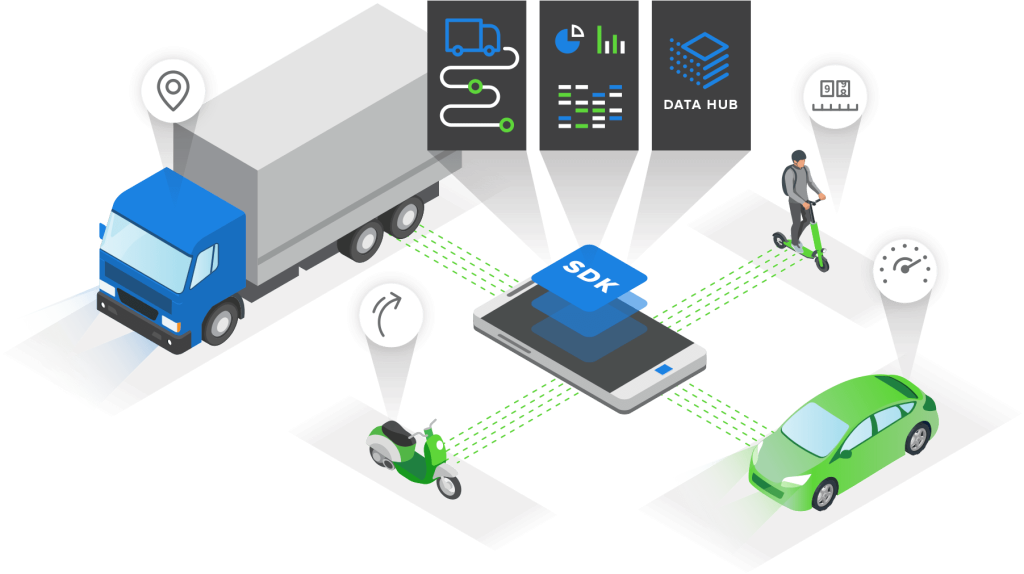
Add trip detection, driving scores, and crash signals to your iOS or Android app — no hardware, no black boxes. Runs in the background on the phones your users already have.
90-day sandbox · No credit card · No sales call · First scored trip the same day you add the dependency
Integrate in under a day · Compare telematics SDKs
Embed the SDK · Call the API · Try Zenroad — same platform either way.
Native iOS & Android, plus React Native and Flutter — trip detection, scores, and crash events from smartphone sensors alone.
Built-in privacy controls and GDPR compliance to protect user data and build trust
Get up and running in minutes with our comprehensive documentation and code samples
Structured driving data captured automatically on every trip.
Choose your preferred development framework and get started quickly.
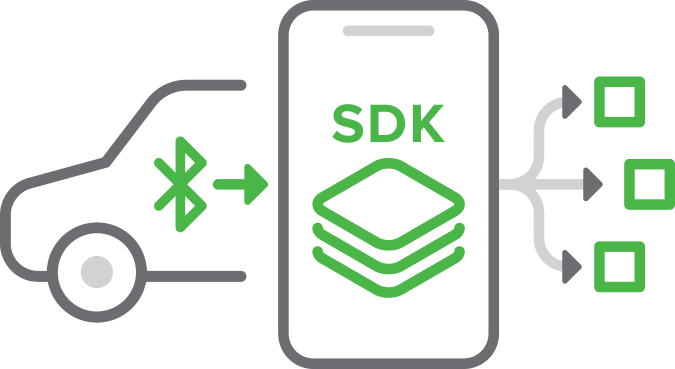
Most teams have a working prototype the same day they add the dependency. The mobile telematics SDK runs in your existing iOS or Android app — you do not ship a separate telematics app. After you register a user in DataHub and embed the SDK, trip detection, scoring, and event capture run in the background while your app handles onboarding and permissions.
Follow the platform guide in the docs:
Initialize once at app startup. Use high-accuracy settings when you need dense sensor data; enable autoStartOn for automatic trip detection.
Kotlin — Android
// Application.onCreate()
val settings = Settings()
    .accuracy(Settings.accuracyHigh)
    .autoStartOn(true)
TrackingApi.getInstance().initialize(context, settings)
Swift — iOS
// AppDelegate — didFinishLaunchingWithOptions
RPEntry.initializeSDK()
RPEntry.instance.application(application, didFinishLaunchingWithOptions: launchOptions)
Full init options: Integrate the SDK — main features.
Create an SDK user via the Create SDK user endpoint (or your backend proxy). Pass the returned DeviceToken to the SDK after the user grants location, motion, and background permissions.
val trackingApi = TrackingApi.getInstance()
if (trackingApi.isAllRequiredPermissionsAndSensorsGranted()) {
    trackingApi.setDeviceID("YOUR_DEVICE_TOKEN")
    trackingApi.setEnableSdk(true)
}
Permission patterns: Permissions in Android · iOS permissions.
The SDK supports six modes documented on this page: Automatic (24/7 background detection), Programmatic tracking (called Manual mode in the SDK docs — on-duty only, common for gig and delivery), On-demand (rentals, temporary coverage), Scheduled (shift windows), Persistent (continuous until stop — delivery/field ops), and Bluetooth-linked (multi-vehicle drivers).
Mode reference: Methods for Android app — tracking modes.
Drive a short test trip or use the tracker page to confirm data is flowing. Trip summaries, scores, and events are available server-side through the Telematics API — poll trip endpoints or subscribe to backend notifications for push delivery.
The SDK captures sensor-derived driving data on-device, processes it on the Damoov platform, and exposes structured datasets through REST APIs and webhooks.
| Data type | Captured by SDK | Available via API | Format / access |
|---|---|---|---|
| Trip start / end | ✓ | ✓ | JSON — Trips API |
| GPS trace / waypoints | ✓ | ✓ | JSON waypoints; polyline in trip detail |
| Safety score (per trip) | ✓ | ✓ | JSON — Safety score |
| Eco score (per trip) | ✓ | ✓ | JSON — Eco score |
| Harsh events | ✓ | ✓ | JSON events array in trip detail |
| Crash / accident events | ✓ | ✓ | JSON + webhook callbacks |
| Driver engagement | ✓ | ✓ | JSON — engagement endpoints |
| Phone distraction | ✓ | ✓ | JSON — event + score factors |
| Live location (optional) | ✓ | ✓ | WebSocket / REST — Live GPS tracking |
| Permission / device diagnostics | ✓ | ✓ | JSON — Device status |
Processed trip schema: Processed telematics data format v2.

The SDK runs in the background 24/7 and automatically detects trip start and stop — ideal for continuous tracking without user actions.
Start and stop tracking through your app flow — best for taxi and delivery use cases where only on-duty trips should be recorded.
Control exactly when tracking begins and ends — useful for time-bound scenarios like rentals or temporary coverage periods.

Set calendar-based time windows for SDK activity — great for corporate drivers with fixed shifts or scheduled routes.

Link tracking to a specific vehicle via a Bluetooth device. When the driver approaches that vehicle, tracking starts automatically — ideal for multi-vehicle drivers when only one vehicle should be tracked.





Stream telematics events to backend systems.
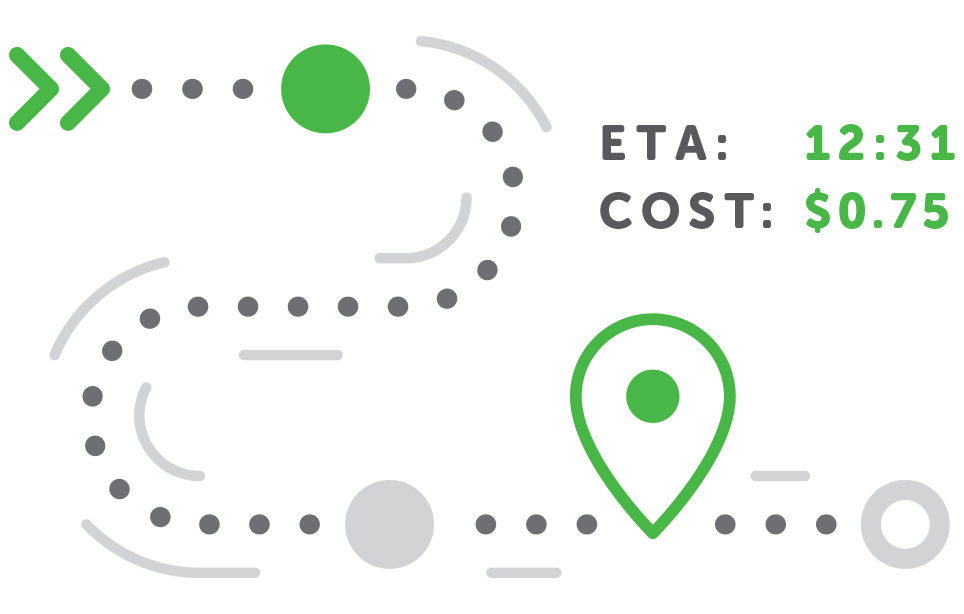
Automatically detected trips with start/end times, routes, and trip summaries.
High-precision location points optimized for urban and highway environments.
Complete trip records enriched with driving metrics and events.
Total trip distance and segment-level mileage analytics.
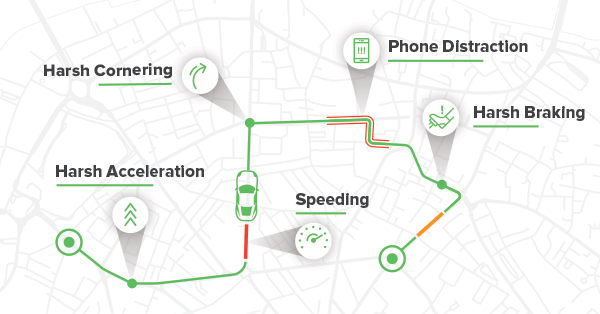
Detailed speed statistics including max speed, average speed, and speeding events.
Accurate driving duration and time-based usage insights.
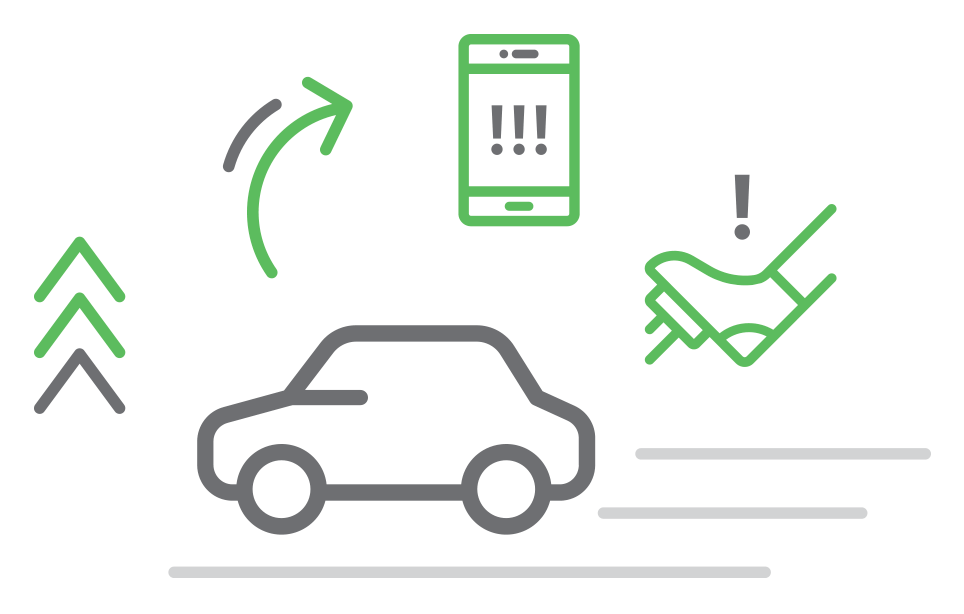
Detection of driving incidents such as harsh braking, acceleration, and cornering.
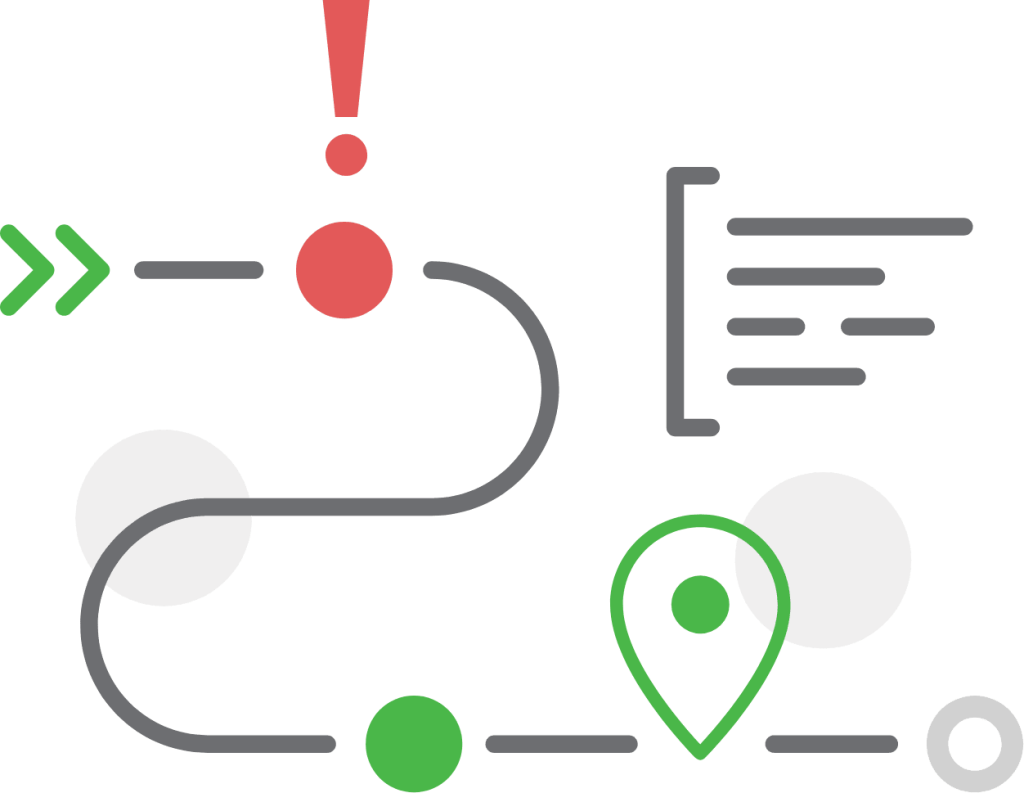
Stream telematics events and trip updates to external platforms via APIs and webhooks.
Optional — Try Zenroad first
See a scored trip on a real phone before you embed the SDK. Try Zenroad
Published source code and demo apps are available as a reference for your integration.
Kotlin — Android SDK
// 1. Initialize (in Application.onCreate)
val settings = Settings()
    .accuracy(Settings.accuracyHigh)
    .autoStartOn(true)
TrackingApi.getInstance().initialize(context, settings)

// 2. Enable after permissions granted
val trackingApi = TrackingApi.getInstance()
if (trackingApi.isAllRequiredPermissionsAndSensorsGranted()) {
    trackingApi.setDeviceID("YOUR_DEVICE_TOKEN")
    trackingApi.setEnableSdk(true)
}Comprehensive documentation is available to help you integrate and configure the Telematics SDK in any iOS app — native or cross-platform.
Swift — iOS SDK
// AppDelegate.swift — didFinishLaunchingWithOptions
RPEntry.initializeSDK()
RPEntry.instance.application(application, didFinishLaunchingWithOptions: launchOptions)

// After permissions wizard completes
try RPEntry.instance.setDeviceID(deviceId: "YOUR_DEVICE_TOKEN")
RPEntry.instance.setEnableSdk(true)
Objective-C — iOS SDK
// AppDelegate.m — didFinishLaunchingWithOptions
[RPEntry initializeSDK];
[[RPEntry instance] application:application didFinishLaunchingWithOptions:launchOptions];

// After permissions wizard completes
NSError *error = nil;
[[RPEntry instance] setDeviceIDWithDeviceId:@"YOUR_DEVICE_TOKEN" error:&error];
[[RPEntry instance] setEnableSdk:YES];
React Native
import TelematicsSdk from 'react-native-telematics';

// Initialize once at app startup
await TelematicsSdk.initializeSdk();
await TelematicsSdk.setDeviceId('YOUR_DEVICE_TOKEN');
await TelematicsSdk.setEnableSdk(true);

// Show permission wizard and start tracking
const granted = await TelematicsSdk.showPermissionWizard(false, false);
if (granted) {
    await TelematicsSdk.startManualTracking();
}
Flutter (Dart)
import 'package:telematics_sdk/telematics_sdk.dart';

final trackingApi = TrackingApi();

// Enable SDK with your device token
await trackingApi.setDeviceID(deviceId: 'YOUR_DEVICE_TOKEN');
await trackingApi.setEnableSdk(enable: true);

// Start trip recording
await trackingApi.startManualTracking();Built for product teams shipping mobility and delivery apps first — insurance and fleet programs stay fully supported.
Track last-mile drivers, verify deliveries, and feed live location into dispatch systems without installing hardware. Programmatic tracking starts and stops with each shift so only on-duty trips are recorded, and geofence entry/exit events confirm arrivals and refresh ETAs in dispatch.
Logistics & deliveryCapture rental mileage, per-trip driver behavior, and live location across carsharing and short-term rental fleets — no in-car hardware. On-demand and Bluetooth-linked tracking scope data to a specific rental period or vehicle, capturing mileage, driving style, and location only while the car is in use.
Carsharing & rentalsAdd safety scoring, trip tracking, and live GPS monitoring to fleet operations with a driver's existing phone. Automatic trip detection records every drive, while live location streaming and per-driver behavior events (speeding, braking, cornering, phone use) feed your dashboards or TMS via API.
Fleet managementPower usage-based programs with smartphone risk scoring, crash evidence, and fraud detection — no OBD hardware. Pull per-trip safety and mileage scores, harsh-event breakdowns, and real-time crash webhooks through the API to price policies and automate FNOL from the driver's existing phone.
Insurance telematicsAutomatically confirm worker arrivals at client sites with precise GPS coordinates, dwell time, and timestamps. Geofence triggers and the continuous GPS trace log exact entry, dwell, and exit times per location — auditable proof of attendance with no manual check-ins.
Proof of visitEvaluate learner drivers objectively with per-trip safety scoring, route playback, and behavioral feedback. Each lesson is captured as a scored trip with waypoints and event detection, so instructors can review braking, cornering, and speeding patterns and track improvement over time.
Driving schoolsDistribute Solana-based Drivecoins for safe and eco-friendly driving to drive engagement and retention. Per-trip safety and eco scores from the SDK become the reward signal, letting your app gamify good driving and pay out tokens automatically based on real behavior data.
Drivecoins rewardsMonitor driver safety, track live bus location, and keep auditable trip records across school transport and contractor fleets. Live GPS lets coordinators and parents follow routes in real time, while trip logs and safety scores build an auditable record of every run by driver and contractor.
School transportScore drivers on fuel efficiency and reduce emissions with per-trip eco metrics built from real smartphone driving data. Eco scores derive from real acceleration, speed, and idling patterns captured by sensor fusion, giving drivers actionable feedback and fleets a measurable path to lower fuel use and emissions.
Eco-driving1. Last-Mile Delivery Tracking. Delivery apps use programmatic or scheduled tracking so only active routes generate trips. Geofence entry/exit confirms arrivals and feeds ETA refreshes into dispatch.
2. Shared-Vehicle Fleets. Carsharing and rental apps scope tracking to a booking window using on-demand or Bluetooth-linked modes.
3. Driver Safety & Fleet Ops. Fleet SaaS products add the SDK to a driver app and aggregate trip logs, live GPS, and behavior events via the Trips API and Live tracking. Programmatic tracking limits recording to on-duty shifts.
4. UBI & Pay-How-You-Drive. Insurtech teams embed the SDK in a policyholder app and pull per-trip safety and eco scores through the Scoring API. Automatic trip detection removes manual trip logging; crash webhooks feed FNOL workflows without OBD hardware.
5. GPS-Verified Proof of Visit. Field-service apps rely on automatic trip boundaries plus geofence triggers to log dwell time at job sites without driver check-ins.
6. Driving Schools & Training. Driving-school apps record each lesson as a scored trip with waypoints and harsh-event breakdowns for instructor review.
7. Drivecoins Token Rewards. Engagement products map per-trip safety and eco scores to token payouts — see Drivecoins.
8. Safe School Transportation. School-transport operators monitor contractor drivers with live GPS and post-trip safety scores per route.
9. Eco-Driving & Efficiency. Sustainability programs use eco scores from acceleration, speed, and idling patterns — Eco score API for export.
No. The Damoov mobile telematics SDK reads smartphone sensors — GPS, accelerometer, gyroscope, magnetometer — to detect trips and score driving behavior. It does not connect to factory vehicle APIs, CAN bus, or OEM telematics platforms.
OBD-II dongles read vehicle bus data and require physical installation per vehicle. The Damoov SDK captures comparable behavioral telematics from the phone already in the driver’s pocket. For UBI and fleet programs prioritizing fast rollout and BYOD, smartphone SDK deployment is typically days vs weeks for hardware logistics.
Yes for on-device experiences — you can surface scores and trip summaries inside your app using SDK callbacks. For fleet dashboards, insurer pricing, web portals, or BI pipelines, you need the Telematics API or backend notifications.
Native iOS (Swift, Objective-C) and Android (Kotlin, Java), plus cross-platform wrappers for React Native and Flutter. The same DeviceToken and DataHub instance work across platforms.
Product teams typically evaluate three categories:
The right fit depends on deployment speed, hardware requirements, and whether your team needs a product-grade mobile SDK with REST API access. Try Zenroad as a reference app before committing.
For most mobility, delivery, and insurance apps, buying telematics infrastructure (SDK + API) is faster and lower risk than building sensor fusion, trip detection, and scoring in-house.
Build: years of R&D for reliable crash detection, battery-optimized background GPS, and scoring models — plus ongoing maintenance across iOS and Android OS changes.
Buy: embed the Telematics SDK in your app, connect your backend via the Telematics API and webhooks, and validate in a free sandbox — often a first scored trip in days, not quarters. Or try Zenroad as an open-source reference before committing engineering resources.
Free sandbox — first scored trip the same day you add the dependency.