
Why phone distraction is still the #1 risk
Around 3000 deaths occur in the US every year due to reckless driving, underscoring the critical importance of driving safely. This practice is vital not only for the well-being of the driver but also for the safety of their family and fellow road users, who deserve a secure driving environment. Driving regulations vary by state, with penalties often including hefty fines and even imprisonment, reflecting the serious approach taken to curb reckless road behavior.
Insurance companies have also joined the initiative, offering premium discounts as incentives for safe driving. This approach not only promotes safety but also provides financial benefits, making safe driving a financially smart behavior over time.
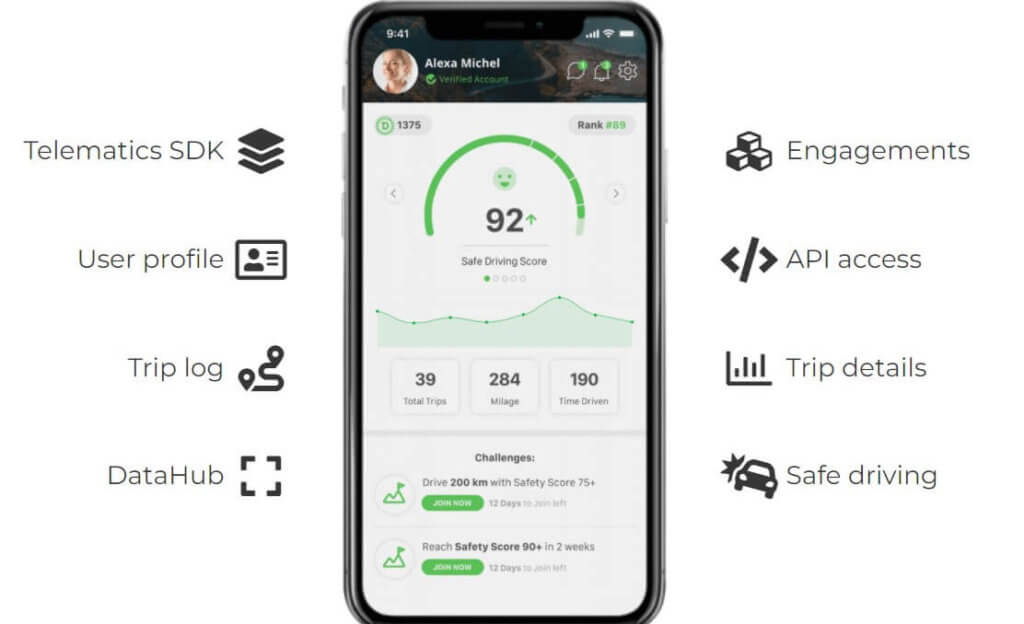
The introduction of telematics-based driving scores has revolutionized how driving behaviors are monitored and improved. These scores, derived from data collected by telematics devices, provide objective, actionable insights into individual driving patterns, highlighting areas for improvement. For companies, these scores offer a basis for recognizing and rewarding safe driving among employees, further embedding a culture of safety within the organization.
Amidst these developments, we have identified the top 5 apps for iOS/Android that are at the forefront of encouraging better and safer driving habits. These apps leverage the latest in telematics and data analytics to provide drivers with real-time feedback, driving scores, and essential safety features, making them invaluable tools for anyone looking to improve their driving and contribute to a safer road environment for all.
Top 5 Safe Driving Apps
Signal by Farmers App:
Signal helps you drive safer. It monitors your driving habits and offers personalized feedback to help make you better behind the wheel. Whether you’re around the corner or somewhere across the country, push notifications can alert a loved one that you need help in case of an emergency.
What it does: Monitors driving habits and delivers personalized feedback; optional CrashAssist can detect a crash and alert a chosen contact.
Best for: Drivers who want simple feedback + emergency notifications.
Pros:
- Practical, plain-English insights to improve next trip.
- Push notifications can alert a loved one after a detected incident.
Consider: Crash detection and alerts may require permissions and reliable connectivity.
Zenroad:

Zenroad is a free app that tracks the location and driving information. This data is processed through the Zenroad platform and SDK and generates telematics risk scores, features insights into driver behaviors, driving style, routes, and monitors car crashes. This app can access speed and acceleration data in real-time while the vehicle is in motion.
What it does: Tracks trips and calculates risk scores, plus insights into behavior (speeding, harsh events), routes, and crash monitoring.
Best for: Teams who want a free and easy start to leveraging telematics solutions.
Pros:
Free entry point to scoring and advanced analytics.
SDK/platform heritage means robust trip detection and data capture.
Consider: Depth of analytics, real-time tracking, and various export options and in-depth driving behavior analytics.
Try Zenroad for free


TrueMotion Family App:
The TrueMotion Family app puts your family’s driving activity and safety score at your fingertips. Your trips will be scored on a 100-point scale, so you can get some friendly competition going and see to it that it improves over time. The app even detects distracted driving (such as your teen texting while driving), so you know what behaviors to correct.
What it does: Scores trips on a 100-point scale; flags distracted driving (e.g., interacting with the phone) and supports family comparisons.
Best for: Families who want visibility into teen driving with some healthy competition.
Pros:
- Clear scoring makes progress easy to track.
- Family view encourages coaching conversations, not blame.
Consider: Mind that the app has not been updated in awhile, and its technology was likely acquired by another app.
EverDrive App:
EverDrive rates you on many aspects of your driving and then gives you a grade to compare with others. It tracks acceleration, braking, cornering, speed, and phone use to calculate the EverDrive score. If you ever find yourself distracted while you drive, the app alerts you about how it is affecting your trip and an overall score, so you can do better each time. You can share your scores with friends, family, and even drivers in your neighborhood to see who drives the safest.
What it does: Rates acceleration, braking, cornering, speed, and phone use to create an overall driver score.
Best for: Individuals who like gamified progress and neighborhood-level comparisons.
Pros:
- Immediate, trip-level feedback to correct habits.
- Leaderboards can motivate ongoing improvement.
Consider: Public rankings aren’t for everyone; you can adjust sharing settings.
OnMyWay App:
OnMyWay automatically disables apps when you’re moving faster than 10 miles per hour, so you don’t have to worry about distractions. The Bluetooth connectivity and voice command ensures that you keep control without compromising safety. You can still easily make phone calls, use navigation apps, and play music without using your hands.
What it does: Disables apps above ~10 mph to curb distraction while keeping calls, navigation, and music accessible (e.g., Maps, Spotify).
Best for: Drivers who want hard limits on non-essential phone use.
Pros:
- Straightforward block to reduce temptation.
- Works with voice/Bluetooth so you stay hands-free.
Consider: Strict blocking can feel inflexible if you need occasional app access.
Closing Tips
Built-in car experiences: CarPlay & Android Auto
When available, CarPlay and Android Auto are the safest way to interact with navigation and audio: larger, glanceable UI, voice-first commands, and fewer taps. They complement the tools above by keeping essential functions accessible while minimizing attention shifts. Pair these with iPhone Driving Focus or Android Focus mode to suppress non-critical pings during trips.
Coaching beats blocking: how mobile telematics helps
Blocking notifications reduces interruptions in the moment. But lasting change usually comes from awareness + feedback. Mobile telematics detects distraction events (e.g., phone interaction at speed), then provides post-trip coaching: trendlines, heatmaps, and suggestions. Over time, drivers see exactly when and why they get distracted—and how to fix it.
Ready to reduce phone-distraction incidents across your team?
Get a quick walkthrough of Damoov’s distraction insights and post-trip coaching. Book a demo.
Test a Mobile Telematics App
Useful Links to Build Telematics App
- Company website: https://damoov.com
- Open-source telematics app: https://damoov.com/telematics-app
- Telematics SDK: https://damoov.com/telematics-sdk
- Telematics API: https://damoov.co/api-services
- Developer portal: https://docs.damoov.com
- Datahub: https://app.damoov.comm
- Github: https://github.com/Mobile-Telematics