
Damoov was named Vehicle Telematics Innovation of the Year in the 2026 AutoTech Breakthrough Awards.
DataHub is Damoov’s web console at app.damoov.com. Safety managers and analysts follow trips, scores and drivers. Developers set up applications, API credentials and data delivery. Start with a sandbox that’s free for 90 days.
DataHub is organized into three areas.
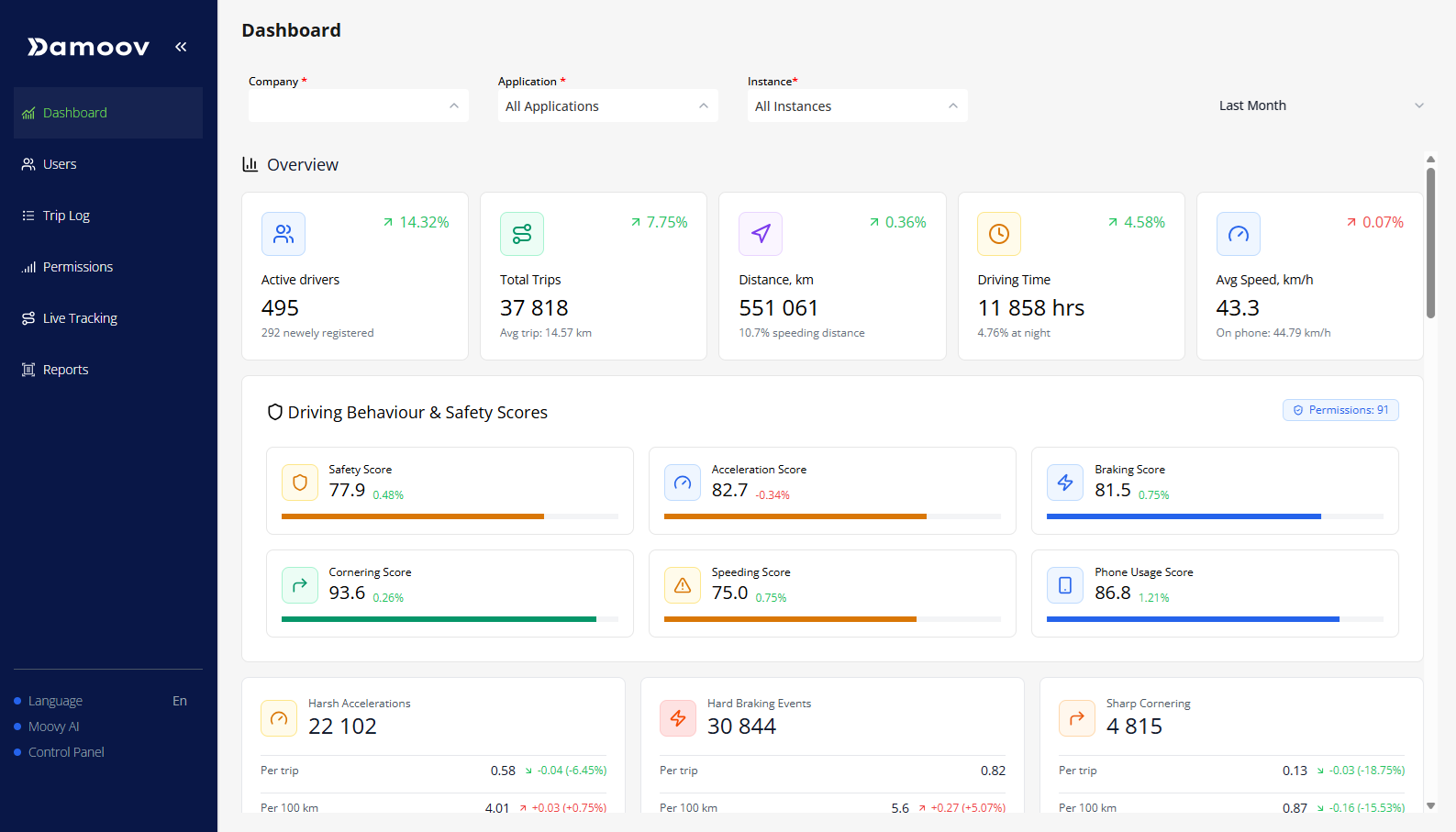
The dashboard opens on the numbers a fleet runs on: trips, distance, driving time and active drivers, next to a safety score broken down into acceleration, braking, cornering, speeding and phone use. Filter by date, or by company, application and instance.
Compare drivers and follow the trend without exporting a spreadsheet first.
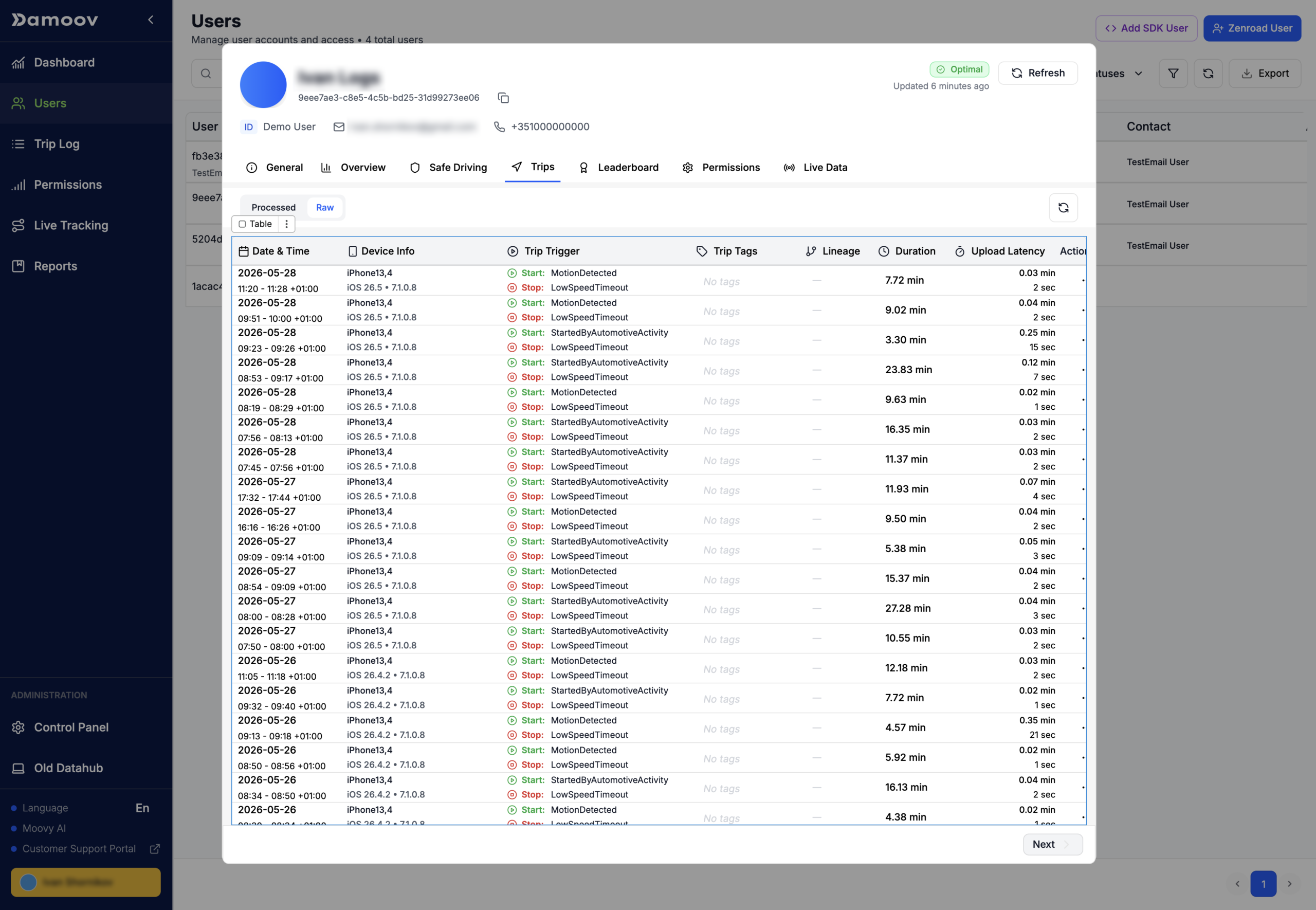
Add users and see each one’s app, instance, status and sign-up date, then move people between groups. Invite colleagues by email at company, application or instance level, and block or reset their access when they leave.
Configuration you would otherwise bury in a wiki. Key and authentication setup is covered in the DataHub docs.
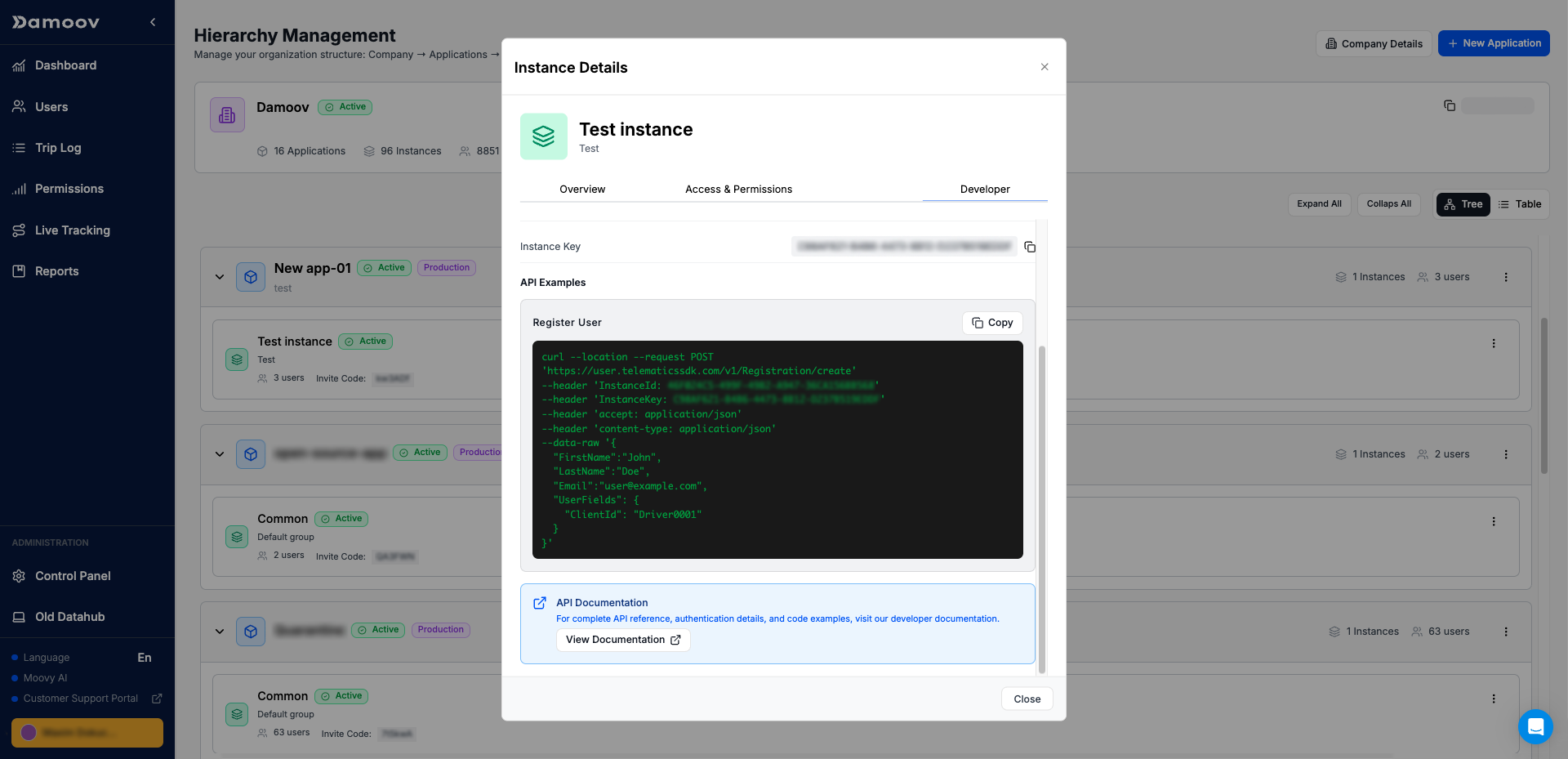
A developer workspace inside DataHub. Check a device’s location, motion, battery and Bluetooth permissions, its SDK status and whether it’s rooted. Compare raw and processed tracks for the same trip. Set up the company → application → instance hierarchy, copy each instance’s keys and invite code, and generate API credentials, with a test token right in the browser.
Use it for integration QA: when a trip looks wrong, you can tell whether it’s the phone, a permission or the data.
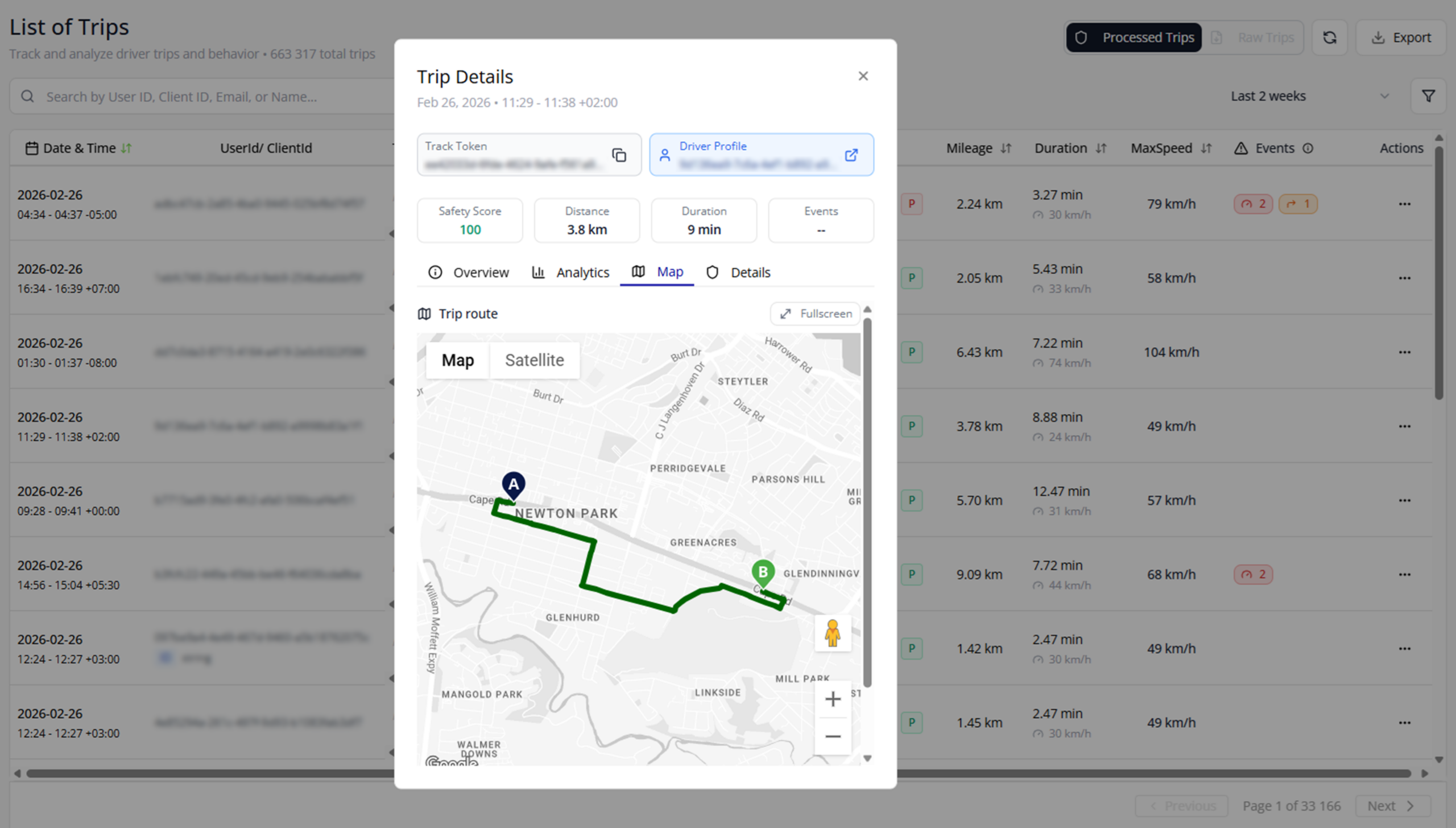
Open any trip from the Trip Log to replay the route, with speed plotted against the speed limit and every event on the timeline. Alongside it: the trip’s safety and eco scores, why it started and stopped, the transport mode, and a GPS accuracy grade for the recording.
Something looks off? Report the trip from the same screen, or check its lineage to see whether it was split or merged.
Set it up in the Control Panel, for the whole company or for one application or instance.
Push processed trips, raw trips and phone-status changes to AWS SNS, Azure Service Bus, Azure Event Grid, Google Pub/Sub or your own webhook. Delivery stats and logs show what arrived.
Stream live location data in Damoov’s format, over a Teltonika-compatible hardware protocol, or over MQTT. Set the server, port and frequency per application or instance.
Export users, trips or device permissions for a date range. Finished files wait under Reports, ready to download.
Free for 90 days. No credit card.
STEP 1
Sign up at app.damoov.com and verify your email.
STEP 2
Name your company and first project, then pick your language and units.
STEP 3
Send email invites to colleagues, and add your first users.
Prefer watching to reading? One recorded tour covers the screens on this page.
Follow along in your own account: read the dashboard, open a trip, add users and invite your team, then find the developer settings in the Control Panel. Pause at any step and try it.
DataHub is Damoov’s web console at app.damoov.com. Safety managers and analysts use it to follow trips, scores and drivers. Developers use it to set up applications, credentials and data delivery.
Moovy is an assistant inside DataHub. DataHub is the console Moovy lives in. You still open trips, driver profiles and settings here. Moovy is for asking; the rest of DataHub is for seeing and configuring. See Moovy AI.
The ChatGPT app is a separate surface: you ask inside ChatGPT. DataHub is the Damoov console. Same data layer, different place you work.
Create an account at app.damoov.com. New companies start in a sandbox that’s free for 90 days, with no credit card required. It is self-serve: no support ticket to switch it on.
Yes. You can set up your company, applications and instances, invite your team and create API credentials before any driver installs an app. Trips appear once the SDK starts recording.